AutoCAD vs AutoCAD LT: Which CAD Solution Is Right for Your Business?
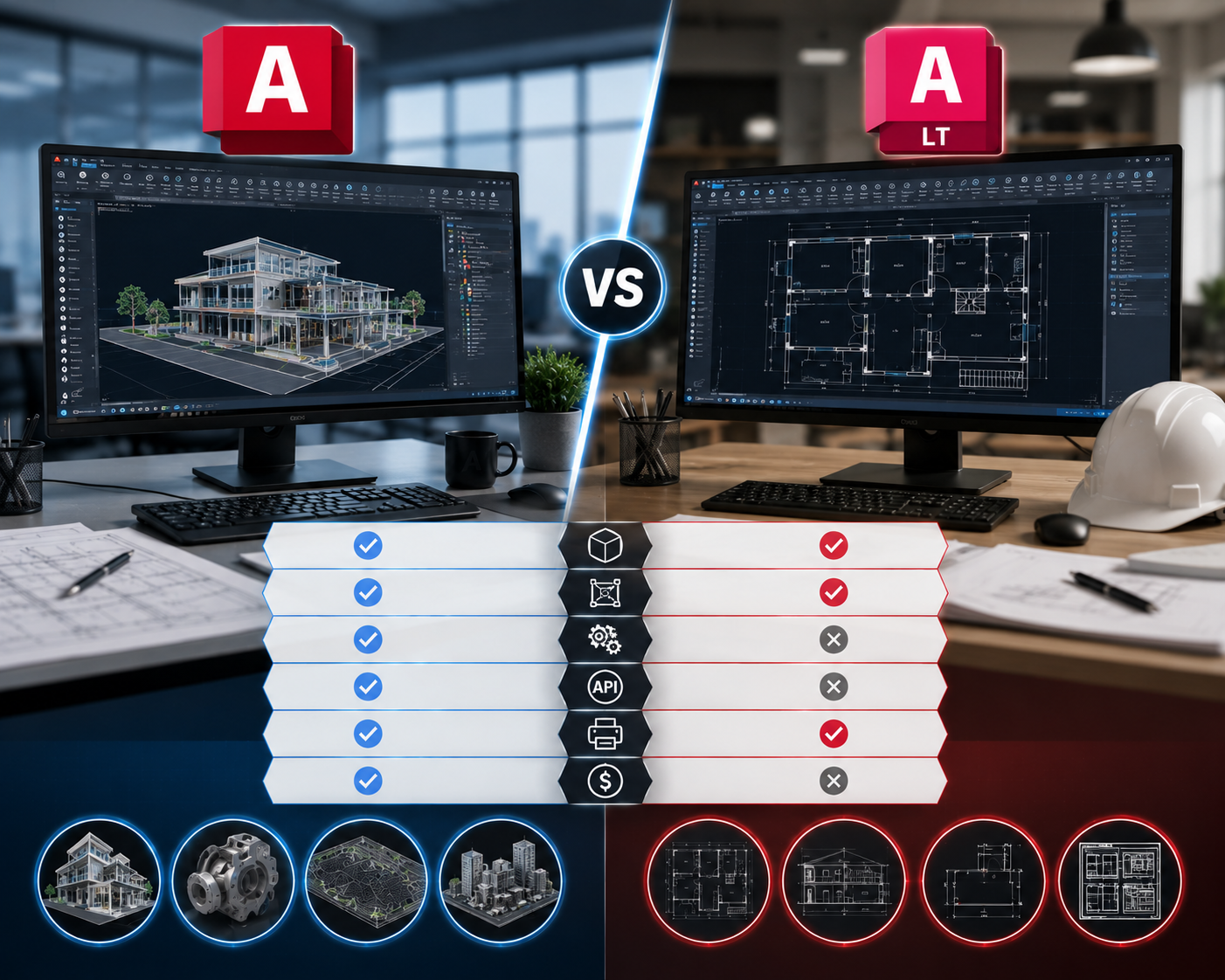
When choosing CAD software, it's easy to assume that the most feature-rich option is always the best choice. In reality, the right software depends on the kind of work you do every day. For many businesses, the decision comes down to two popular Autodesk solutions: *AutoCAD* and *AutoCAD LT*. Both are trusted by professionals worldwide, both use the industry-standard DWG file format, and both help create accurate technical drawings. However, they are designed for different types of users. So, how do you know which one is right for your business?
Start by Understanding Your Needs
Before comparing features, take a step back and think about your daily workflow.
Are you mainly creating floor plans, construction drawings, and technical documentation? Or do your projects involve 3D modeling, design visualization, and advanced engineering workflows?
The answer to that question will usually point you in the right direction.
AutoCAD LT is built for professionals who primarily work with *2D drafting*. It's an excellent choice for creating precise drawings, layouts, and documentation without the added complexity of advanced design tools.
AutoCAD, on the other hand, is a complete CAD platform that supports both *2D drafting and 3D modeling*, along with automation, customization, and specialized tools that help engineering teams work more efficiently.
When AutoCAD LT Is All You Need
Not every project requires 3D models or advanced automation.
Many architects, drafting professionals, interior designers, contractors, and small businesses spend most of their time producing technical drawings and construction documentation. For these users, AutoCAD LT offers everything needed to create professional-quality drawings quickly and accurately.
Because it focuses on essential drafting tools, it's easier to learn, simpler to manage, and often more affordable than the full version.
If your work revolves around producing clear and accurate 2D drawings, AutoCAD LT is likely to meet your needs without paying for features you may never use.
More Than Just 2D Drafting
Many people still think of AutoCAD as a drafting tool, but today's AutoCAD offers much more.
Along with powerful 2D drawing capabilities, it also supports 3D modeling, visualization, annotation, documentation, and collaboration. Designers can develop concepts, review models, generate detailed documentation, and make revisions—all within the same environment.
This flexibility means professionals don't need separate software for every stage of the design process.
When AutoCAD Becomes the Better Choice
As projects grow in complexity, so do software requirements.
Engineering consultants, infrastructure companies, manufacturing firms, and multidisciplinary design teams often need more than drafting tools. They may need to create 3D models, automate repetitive tasks, customize workflows, or integrate with other engineering applications.
That's where AutoCAD stands out.
Its advanced capabilities help professionals visualize designs, improve productivity, and handle larger projects more efficiently. Instead of relying on multiple software applications, teams can manage much of their design workflow within a single platform.
For businesses handling complex engineering work, these additional capabilities can save significant time over the life of a project.
Think About the Future, Not Just Today
Choosing software isn't just about your current projects—it's also about where your business is heading.
A startup consultancy preparing residential drawings today might begin working on commercial developments or industrial projects a few years from now. Investing in software that supports future growth can prevent unnecessary upgrades and retraining later.
On the other hand, if your business has a clearly defined workflow focused entirely on 2D documentation, AutoCAD LT remains a practical and cost-effective long-term solution.
The best decision is the one that aligns with both your present requirements and your future ambitions.
Which One Offers Better Value?
Rather than asking which software is better, it's more useful to ask which software delivers the greatest value for your business.
If your team only needs professional drafting capabilities, AutoCAD LT provides excellent value without unnecessary complexity.
If your projects demand advanced design, visualization, automation, or multidisciplinary collaboration, the full version of AutoCAD offers greater flexibility and can improve productivity over time.
In other words, value isn't determined by the number of features—it comes from choosing software that matches the way your team works.
Final Thoughts
Both AutoCAD and AutoCAD LT are trusted by engineers, architects, designers, and consultants around the world. They share the same commitment to precision, reliability, and industry-standard compatibility.
The difference lies in the scope of work they are designed to handle.
If your focus is creating accurate 2D drawings and documentation, AutoCAD LT is a dependable and economical choice. If your projects involve advanced engineering, 3D modeling, or more sophisticated workflows, AutoCAD provides the flexibility to tackle those challenges with confidence.
At *Aileron*, we help organizations evaluate their requirements and choose the Autodesk solution that best fits their business. From software licensing and implementation to training and technical support, our team works alongside you to ensure you get the maximum value from your CAD investment.
No. AutoCAD LT is designed specifically for professional 2D drafting and documentation.
Yes. While it includes advanced features, its intuitive interface and extensive learning resources make it accessible for new users.
Yes. Many businesses begin with AutoCAD LT and upgrade as their projects become more complex.
It depends on the type of work. Firms focused on drafting may find AutoCAD LT sufficient, while those involved in design, analysis, or multidisciplinary projects generally benefit from the full capabilities of AutoCAD.